It started with a phone call at 2 a.m. My friend’s voice was shaking. “Someone emptied my bank account,” he said. “They got into everything—my email, my bank, my crypto exchange. I don’t know how.” He hadn’t clicked any suspicious links. He hadn’t downloaded anything weird. He thought he was safe.
The truth was more unsettling. The hackers didn’t break in through a high-tech exploit. They didn’t write custom malware or crack complex encryption. They got in because my friend had used the same password for fifteen years across multiple accounts. A data breach at an old forum he’d forgotten about leaked his credentials. Hackers tried those credentials on banking sites. They worked.
That night changed how I think about security. Understanding how hackers attack and how to stay safe isn’t about paranoia—it’s about understanding the simple, often boring methods criminals actually use. Most hacks aren’t sophisticated. They exploit human laziness, trust, and inattention.
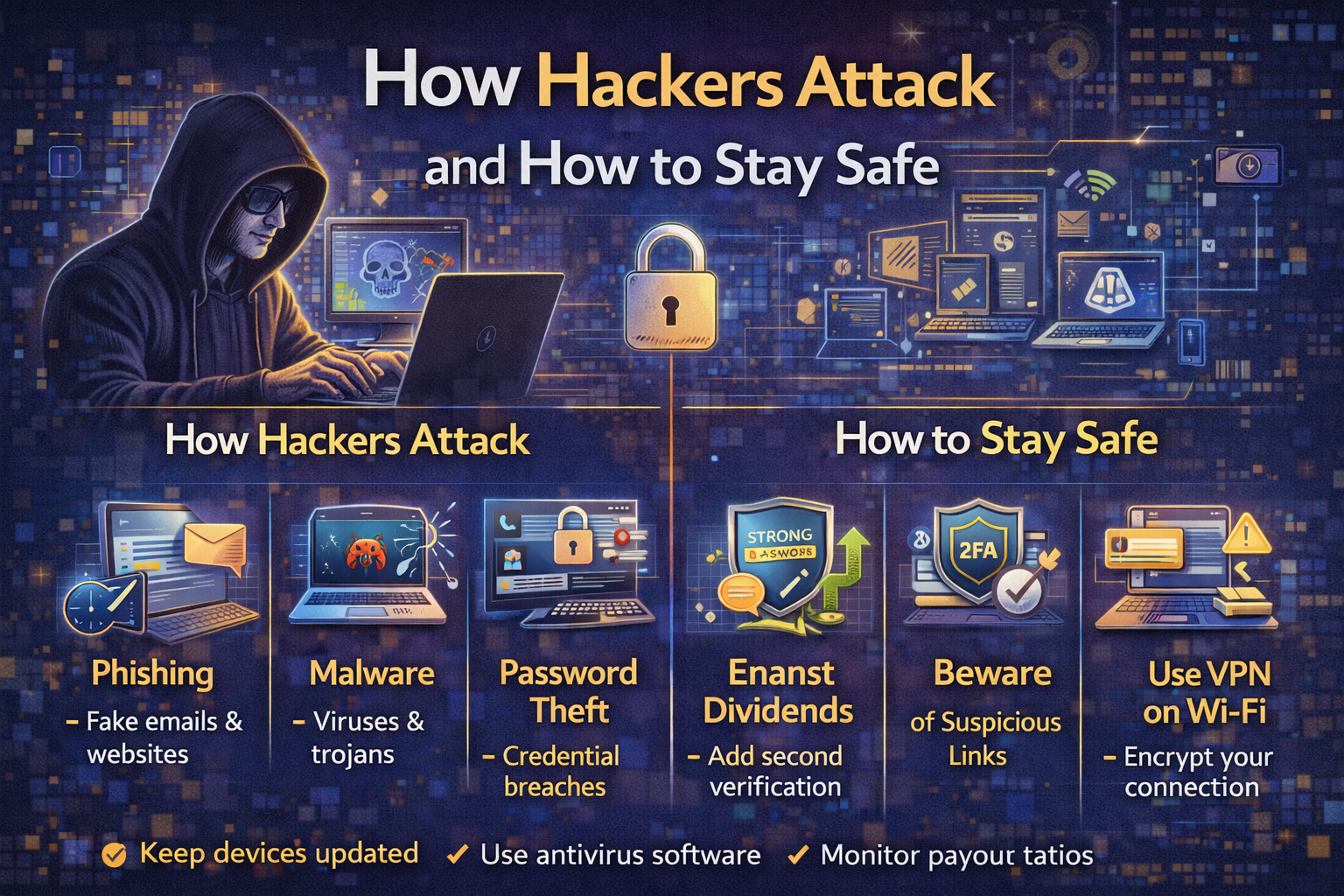
In this guide, we’ll explore how hackers attack and how to stay safe from their most common methods. We’ll cover phishing, password attacks, malware, social engineering, and more. Most importantly, we’ll give you actionable steps to protect yourself starting today.
Let’s get into the mindset of a hacker—and then build your defenses.
Part 1: The Hacker’s Mindset
Before we explore how hackers attack and how to stay safe, we need to understand what motivates them.
Types of Hackers
| Type | Motivation | Who They Target |
|---|---|---|
| Script Kiddies | Bragging rights, fun | Low-hanging fruit, easy targets |
| Cybercriminals | Money | Individuals, businesses, anyone with assets |
| Nation-States | Espionage, disruption | Governments, critical infrastructure |
| Hacktivists | Political or social causes | Organizations they oppose |
| Insiders | Revenge, profit | Their own employer |
Most individuals need to worry about cybercriminals. They’re opportunistic. They want the easiest path to money.
The Economics of Hacking
Hacking is a business. Criminals invest time and resources where returns are highest. They use automated tools to scan for vulnerabilities at scale. They don’t target you personally—they target anyone who makes a mistake.
The good news: you don’t need to be impenetrable. You just need to be harder to hack than the next person.
Part 2: Phishing—The #1 Attack Vector
Understanding how hackers attack and how to stay safe starts with phishing, responsible for over 80% of reported security incidents.
What Is Phishing?
Phishing is when attackers send fraudulent messages designed to trick you into revealing sensitive information or installing malware. These messages often appear to come from legitimate sources—your bank, a colleague, a delivery service.
Types of Phishing
| Type | Description | Example |
|---|---|---|
| Email Phishing | Mass emails, generic | “Your account has been compromised. Click here.” |
| Spear Phishing | Targeted, personalized | Email referencing your actual recent purchase |
| Smishing | Text message phishing | “USPS: Your package cannot be delivered” |
| Vishing | Voice call phishing | “This is your bank’s fraud department…” |
| Clone Phishing | Copy of legitimate email with malicious link | Resent invoice with link changed |
| Whaling | Spear phishing targeting executives | “CEO needs you to wire funds urgently” |
How to Spot a Phishing Attempt
| Red Flag | What to Look For |
|---|---|
| Urgency | “Act now or your account will be closed!” |
| Generic greeting | “Dear Customer” instead of your name |
| Suspicious links | Hover over—does the URL match the company? |
| Poor grammar/spelling | Legitimate companies proofread |
| Unexpected attachments | Don’t open anything unexpected |
| Request for personal info | No legitimate company asks for passwords via email |
Real-World Example
A friend received an email from “Netflix” saying his payment method had failed and he needed to update it immediately. The email looked convincing—logo, formatting, everything. But the sender address was support@netflix-security.com instead of @netflix.com. He didn’t click. He opened his Netflix app directly and saw his account was fine.
How to Stay Safe from Phishing
| Action | Why It Works |
|---|---|
| Never click links in unexpected emails | Go directly to the website instead |
| Verify sender addresses | Check for misspellings, wrong domains |
| Use email filters | Most providers block obvious phishing |
| Enable 2FA | Even if you click, attacker can’t log in |
| Report phishing | Help your email provider improve filters |
Part 3: Password Attacks
Passwords remain a primary target. Understanding how hackers attack and how to stay safe requires understanding password vulnerabilities.
How Hackers Get Passwords
| Method | How It Works |
|---|---|
| Brute force | Trying every possible combination |
| Dictionary attack | Trying common words and variations |
| Credential stuffing | Using passwords leaked from other breaches |
| Keylogging | Malware records what you type |
| Shoulder surfing | Watching you type |
| Password guessing | Using personal info (birthdays, pet names) |
The Credential Stuffing Epidemic
The most common way accounts get hacked isn’t through sophisticated attacks. It’s through credential stuffing: hackers take usernames and passwords leaked from one site and try them on other sites.
If you used the same password for an old forum (which got breached) and your bank account, hackers can now access your bank account.
How to Stay Safe from Password Attacks
| Best Practice | Why It Matters |
|---|---|
| Use unique passwords for every account | One breach doesn’t compromise others |
| Use a password manager | Remember one master password; it remembers the rest |
| Make passwords long and random | “correct-horse-battery-staple” style > complex short passwords |
| Enable 2FA everywhere possible | Password alone isn’t enough |
| Check if you’ve been breached | Use haveibeenpwned.com |
| Change passwords after known breaches | Don’t wait |
Password Manager Recommendations
| Tool | Platform | Price |
|---|---|---|
| Bitwarden | All | Free (premium $10/year) |
| 1Password | All | $36/year |
| Apple Keychain | Apple devices | Free |
| Google Password Manager | Google ecosystem | Free |
Part 4: Malware and Ransomware
Malware is malicious software designed to damage, disrupt, or gain unauthorized access to systems.
Common Types of Malware
| Type | What It Does |
|---|---|
| Virus | Attaches to clean files, spreads |
| Trojan | Disguised as legitimate software |
| Ransomware | Encrypts files, demands payment |
| Spyware | Secretly monitors activity |
| Adware | Displays unwanted ads |
| Keylogger | Records keystrokes |
| Rootkit | Hides deep in system |
How Malware Spreads
| Vector | Description |
|---|---|
| Email attachments | Most common method |
| Malicious downloads | “Free” software, cracked programs |
| USB drives | Infected drives left in parking lots |
| Drive-by downloads | Visiting compromised websites |
| Phishing links | Links that download malware |
| Supply chain attacks | Compromising legitimate software updates |
Ransomware: The Modern Plague
Ransomware encrypts your files and demands payment for the decryption key. It’s a multi-billion dollar criminal industry. Hospitals, schools, and businesses have been crippled by attacks.
Real-world example: In 2021, Colonial Pipeline paid $4.4 million in ransom after an attack disrupted fuel supply across the US East Coast.
How to Stay Safe from Malware
| Action | Why It Works |
|---|---|
| Keep software updated | Patches known vulnerabilities |
| Use antivirus/anti-malware | Detects and blocks known threats |
| Don’t download from untrusted sources | Stick to official app stores |
| Don’t open unexpected attachments | Even from known senders (their account may be compromised) |
| Back up regularly | Ransomware can’t hold you hostage if you have backups |
| Use ad blockers | Reduces risk of drive-by downloads |
The 3-2-1 Backup Rule
| Rule | What It Means |
|---|---|
| 3 | Keep three copies of your data |
| 2 | Store on two different media types |
| 1 | Keep one copy offsite (cloud or physical) |
Part 5: Social Engineering
The most effective hacks don’t exploit computers—they exploit people.
What Is Social Engineering?
Social engineering is manipulating people into divulging confidential information or performing actions that compromise security. It’s the art of human hacking.
Common Social Engineering Attacks
| Attack | How It Works |
|---|---|
| Pretexting | Creating a fabricated scenario to extract information |
| Baiting | Offering something enticing (free USB drive, download) |
| Quid pro quo | Offering service in exchange for information |
| Tailgating | Following someone through a secure door |
| Impersonation | Pretending to be IT support, delivery person, etc. |
Real-World Example
A hacker calls your company’s help desk, pretending to be a remote employee who forgot their password. They sound stressed, in a hurry, and provide enough personal info (gathered from LinkedIn) to seem legitimate. The help desk resets the password. The hacker now has access.
How to Stay Safe from Social Engineering
| Best Practice | Why It Matters |
|---|---|
| Verify identity | Call back using known number, don’t trust incoming |
| Never share passwords | No legitimate request asks for passwords |
| Establish verification procedures | Code words, callback protocols |
| Train employees | Awareness is the best defense |
| Be skeptical | If something feels off, it probably is |
Part 6: Man-in-the-Middle Attacks
Man-in-the-middle (MITM) attacks occur when hackers intercept communication between two parties.
How MITM Works
- You connect to what you think is legitimate Wi-Fi (but is actually a hacker’s access point)
- All your traffic routes through the hacker
- The hacker can see everything—passwords, emails, bank details
Common MITM Scenarios
| Scenario | Risk |
|---|---|
| Public Wi-Fi (coffee shop, airport) | High—anyone can set up fake access points |
| Unencrypted websites (HTTP) | Traffic visible to anyone on network |
| Compromised routers | Attacker controls network traffic |
| ARP spoofing | Attacker tricks network into routing traffic through them |
How to Stay Safe from MITM Attacks
| Action | Why It Works |
|---|---|
| Use a VPN on public Wi-Fi | Encrypts all traffic |
| Look for HTTPS | Padlock icon means encrypted connection |
| Don’t use public Wi-Fi for sensitive tasks | Banking, email, shopping |
| Use your phone’s hotspot | More secure than public Wi-Fi |
| Keep devices updated | Patches security vulnerabilities |
Part 7: The Essential Security Checklist
Now that you understand how hackers attack and how to stay safe, here’s your actionable checklist.
Account Security
| Action | Done? |
|---|---|
| Use a password manager | ☐ |
| Use unique passwords for every account | ☐ |
| Enable 2FA on all important accounts | ☐ |
| Use authenticator app (not SMS) for 2FA | ☐ |
| Remove unused accounts | ☐ |
| Check haveibeenpwned.com quarterly | ☐ |
Device Security
| Action | Done? |
|---|---|
| Install updates immediately | ☐ |
| Use antivirus/anti-malware | ☐ |
| Enable firewall | ☐ |
| Lock devices with PIN/password/biometric | ☐ |
| Enable remote wipe capability | ☐ |
| Don’t install unknown apps | ☐ |
Network Security
| Action | Done? |
|---|---|
| Change default router password | ☐ |
| Use WPA2 or WPA3 encryption on Wi-Fi | ☐ |
| Hide your SSID (optional) | ☐ |
| Use a VPN on public Wi-Fi | ☐ |
| Disable WPS on router | ☐ |
| Keep router firmware updated | ☐ |
Email and Phishing
| Action | Done? |
|---|---|
| Never click links in unexpected emails | ☐ |
| Verify sender addresses | ☐ |
| Don’t open unexpected attachments | ☐ |
| Report phishing emails | ☐ |
| Use email filtering | ☐ |
Backups
| Action | Done? |
|---|---|
| Follow 3-2-1 backup rule | ☐ |
| Test backups regularly | ☐ |
| Keep offline backups | ☐ |
Part 8: What to Do If You’ve Been Hacked
Even with the best defenses, breaches happen. Knowing what to do minimizes damage.
Step-by-Step Incident Response
| Step | Action |
|---|---|
| 1 | Don’t panic. Clear thinking is your best tool. |
| 2 | Disconnect from the internet. Prevents further data exfiltration. |
| 3 | Change passwords. Start with email, then banking, then everything else. |
| 4 | Enable or reset 2FA. Use authenticator app, not SMS. |
| 5 | Scan for malware. Use trusted antivirus. |
| 6 | Check account activity. Look for unauthorized transactions, logins. |
| 7 | Contact financial institutions. Freeze cards, report fraud. |
| 8 | Freeze your credit. Prevents new account fraud. |
| 9 | Check if your data was exposed. Use haveibeenpwned.com. |
| 10 | Learn from what happened. How did they get in? What can you change? |
When to Involve Authorities
- Financial fraud over $1,000
- Identity theft
- Cyberstalking or threats
- Ransomware affecting business systems
File a report with:
- Local police (for documentation)
- FBI’s Internet Crime Complaint Center (IC3)
- Federal Trade Commission (identity theft)
Part 9: Security for Families
How hackers attack and how to stay safe extends to protecting your family.
Protecting Children
| Risk | Protection |
|---|---|
| Online predators | Monitor activity, use parental controls |
| Cyberbullying | Open communication, reporting tools |
| Phishing | Teach them to spot suspicious messages |
| Oversharing | Discuss privacy settings |
Protecting Elderly Relatives
Older adults are disproportionately targeted by scams. Common ones include:
| Scam | How It Works |
|---|---|
| Grandparent scam | “I’m in jail, please send money” |
| Tech support scam | “Your computer has a virus, pay us to fix it” |
| Romance scam | Fake online relationship, requests for money |
| IRS/Government impersonation | “You owe taxes, pay immediately” |
Protection: Talk to elderly relatives about these scams. Tell them: legitimate agencies never demand immediate payment by gift card, wire transfer, or cryptocurrency. Never share personal information over the phone.
Part 10: The Future of Cybersecurity
What’s coming in how hackers attack and how to stay safe?
Emerging Threats
| Threat | What It Is |
|---|---|
| AI-powered phishing | Perfect grammar, personalization at scale |
| Deepfake attacks | Fake audio/video of executives requesting transfers |
| AI-generated malware | Malware that evolves to evade detection |
| Supply chain attacks | Compromising software updates |
| Quantum computing threats | Could break current encryption |
Emerging Defenses
| Defense | What It Is |
|---|---|
| Passkeys | Passwordless authentication using biometrics |
| Zero-trust architecture | Never trust, always verify |
| AI-powered defense | Detects attacks faster than humans |
| Post-quantum cryptography | Encryption resistant to quantum computers |
| Behavioral analytics | Detects unusual activity patterns |
Conclusion
Let’s bring this together.
Understanding how hackers attack and how to stay safe isn’t about becoming a cybersecurity expert. It’s about understanding the simple, preventable mistakes that lead to most breaches—and fixing them.
The most common attacks aren’t sophisticated. They exploit reused passwords, unpatched software, and human trust. They rely on us being lazy, distracted, or uninformed.
The good news: the same simple actions that prevent most attacks are easy to implement.
Your action plan:
- Get a password manager. Use unique passwords for every account.
- Enable 2FA everywhere possible. Use an authenticator app.
- Keep everything updated. Turn on automatic updates.
- Think before you click. Verify before trusting.
- Back up your data. Follow the 3-2-1 rule.
- Use a VPN on public Wi-Fi.
- Freeze your credit. Thaw only when needed.
You don’t need to be perfect. You just need to be harder to hack than the next person.
Start today. Change your most important passwords. Enable 2FA on your email and banking accounts. Back up your data. One hour of work today could save you weeks of pain tomorrow.
Stay safe out there.